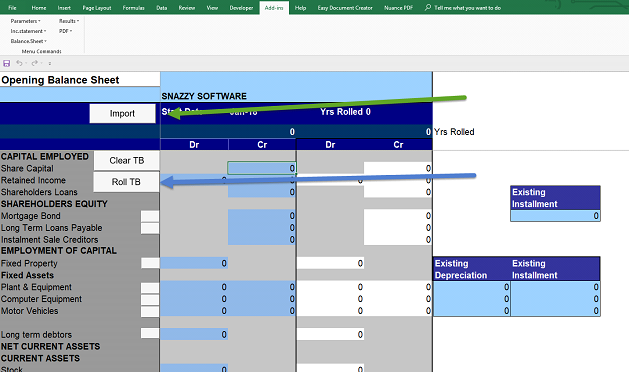
CFF can be used to create any number of multiple years by rolling the TB for 5 years.
It is imperative that you make a backup copy of your file before you run the roll years routine, because if anything goes wrong you will lose the data file. The system will warn you about making a backup and give you the option to abort. Make the names as below;-
ABC YEAR 2020,
ABC YEAR 2021 etc.
The closing balance sheet balances will be inserted into the opening balance sheet of the next years file. The dates are automatically advanced by one year. The rest of the data remains the same. Therefore each part of the plan should be reviewed with a view to changing data for the new circumstances in the new year.
Click on the button to roll the balances to a new year if you are satisfied that you have completed a year.
LOADING OPENING BALANCES FROM ANOTHER FILE
In the case where you have multiple files for different years and you want to make changes in an earlier year it will be necessary to update the opening balances of the later year. This can be done manually or automatically – see below by running the Import routine.