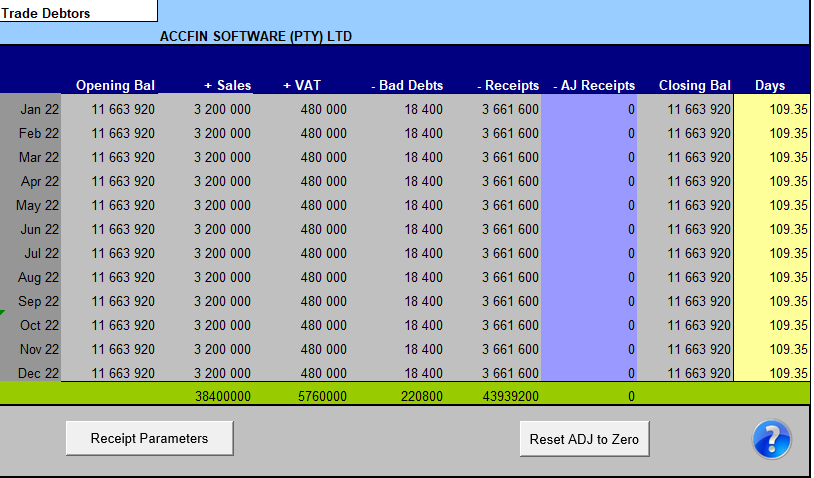
Receipts are calculated are on a percentage basis found under Receipt Parameters. The only area you may edit is the Adjust Receipts Column. You may edit the receipts on the sceen below to cater for seasonal fluctuations by entering the amounts in the adjustment receipts field.
Adjust Receipts
Where debtors collections may not be up to expectations owing to seasonal fluctuations cash receipts may be adjusted by entering the adjusted amounts in the adjustment column. A negative or positive figure may be entered here, e.g., you may wish to reduce the collections for a particular month by entering a minus amount in one month end then catching up the collections in the months thereafter by entering positive amounts.
Click on the to set the adjusted receipts to zero.
The ratio calculations of Cash Flow Forecaster will show the number of days in debtors in the yellow.


 to set the adjusted receipts to zero.